/ THE FEED /

Read what ships.

Deep, recent reads ranked by depth and freshness.

  1. Sentry JavaScript SDK v11 adds tracing for all JS platforms

    Sentry replaced its OpenTelemetry-based JavaScript SDK instrumentation with a source-code transformation approach using diagnostics channels in version 11. This change removes reliance on Node-specific module loader hooks, enabling reliable tracing across non-Node runtimes like Deno, Bun, and Cloudflare Workers, while also supporting bundled applications. The result is a simplified architecture that reduces bundle weight and fixes previous limitations with load order and immutable exports.

    DEPTH ■■■■■13 min read2 weeks ago

    Sign in to save and rate

  2. Reducing Android scope-sync overhead in Sentry Flutter

    The Sentry Flutter team investigated scope-sync overhead on Android and found redundant data normalization across isolates alongside unnecessary buffer copies during JSON encoding. By removing the duplicate normalization and encoding directly to UTF-8 bytes, the team reduced processing time by 27 to 30 percent across benchmarked payloads.

    DEPTH ■■■■■4 min read2 weeks ago

    Sign in to save and rate

  3. The Sentry Android SDK is now 20-30% faster!

    The Sentry team optimized the Android SDK to reduce initialization time by 20-30% and background CPU usage by up to 10%. Improvements were achieved by profiling with Perfetto, replacing slow runtime manifest parsing and DSN parsing with build-time bytecode writing and lightweight parsers, and reusing thread pools. Upgrading to the latest SDK version allows applications to realize these startup performance gains.

    DEPTH ■■■■■4 min read5 days ago

    Sign in to save and rate

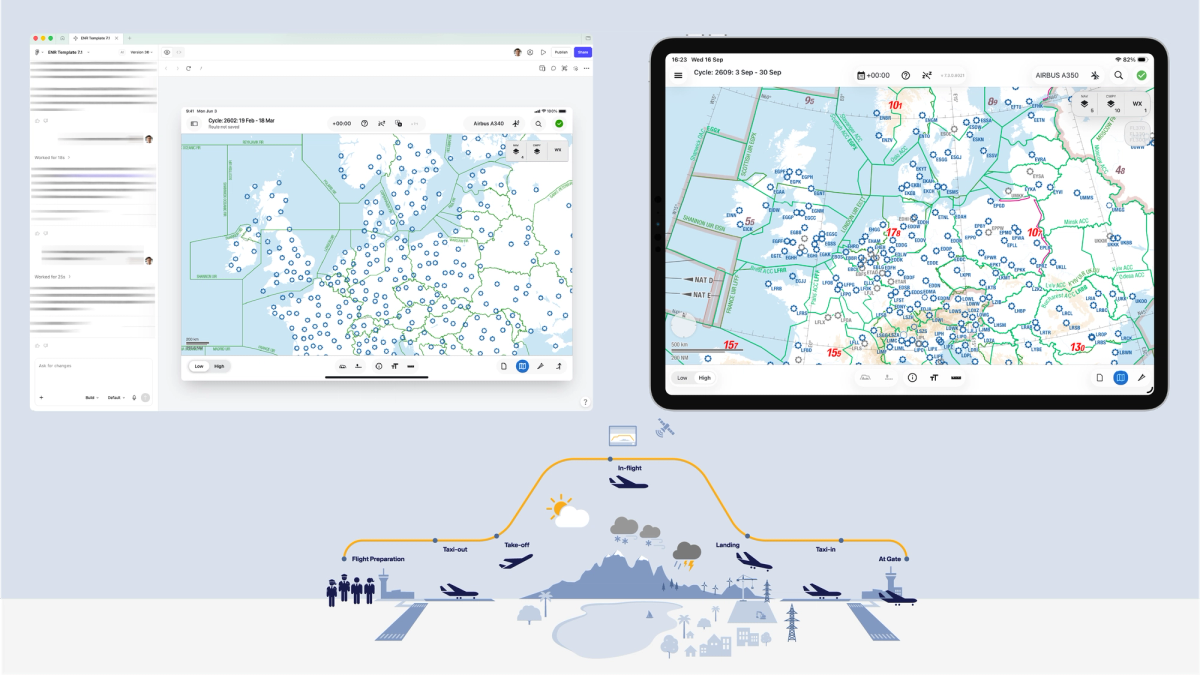
  4. How Lufthansa Systems prototypes realistic maps for the cockpit with Figma Make

    Lufthansa Systems struggled to build realistic, dynamic map prototypes for cockpit navigation apps using traditional static design tools. The team experimented with Figma Make during an internal hackathon to integrate external data sources like Mapbox and the OpenSky Network into their designs. As a result, designers successfully tested interactive map features and complex flight traffic data with pilots prior to writing production code.

    DEPTH ■■■■■8 min read3 days ago

    Sign in to save and rate

  5. Unreal MCP now speaks Sentry

    The Sentry team integrated their crash reporting plugin with Unreal Engine's new experimental Model Context Protocol (MCP) server, allowing coding agents to fully automate setup and debugging. By combining editor tools and Sentry MCP, an agent successfully configured the SDK, uploaded debug symbols, packaged a build, induced a crash, and traced the root cause without manual file editing. The integration streamlines crash reporting setup, though it currently suffers from occasional agent tool-discovery issues and server fragility across editor restarts.

    DEPTH ■■■■■7 min read2 weeks ago

    Sign in to save and rate

  6. Should you use a log or a metric?

    This post explains the distinction between logs and metrics in application monitoring, noting that logs capture what was true during specific events for debugging while metrics track ongoing numerical trends over time. The author demonstrates how to implement both using Sentry SDKs during a user signup flow and outlines criteria for choosing between them. The resulting takeaway helps engineers decide whether to log an event or track it as a metric based on the questions they need to answer.

    DEPTH ■■■■■12 min read3 days ago

    Sign in to save and rate

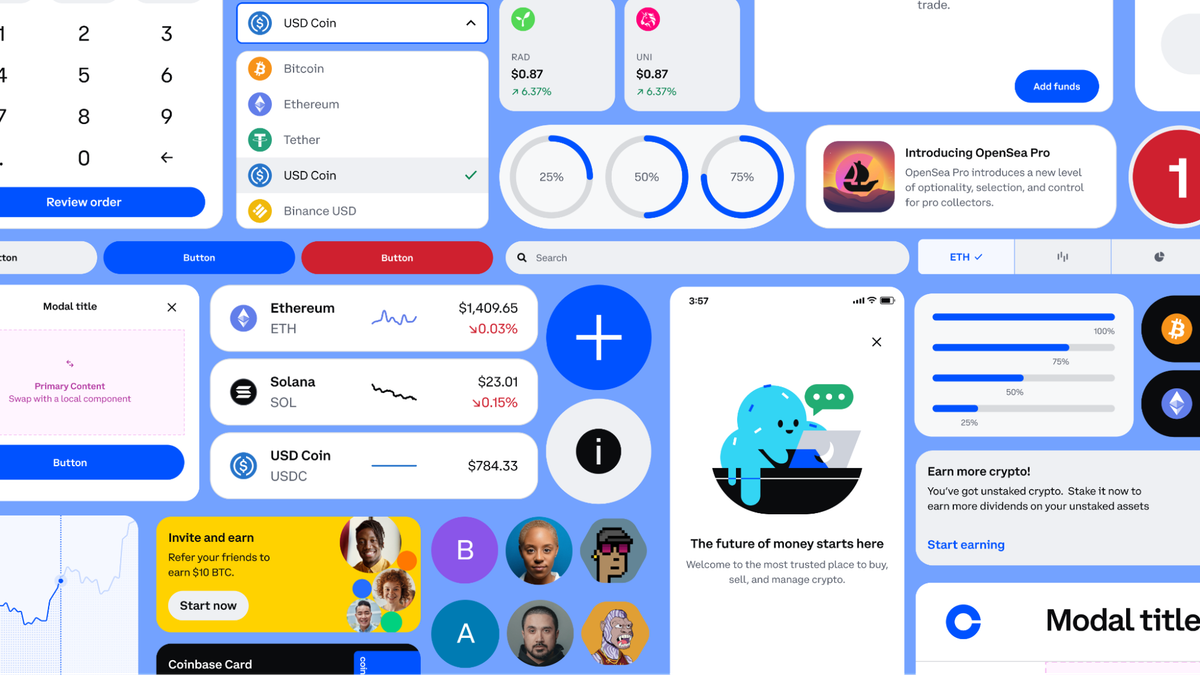
  7. How to put your design system to work with the Figma agent

    This post explains how to provide the Figma agent with proper context through design libraries, explicit guidelines, practical examples, and reusable skills to produce accurate outputs. By connecting libraries and defining rules, teams can ensure the agent uses approved components and follows design patterns. Reviewing agent outputs helps teams identify missing context and refine their libraries and guidelines.

    DEPTH ■■■■■6 min read2 days ago

    Sign in to save and rate

  8. How Etsy gets its mobile apps ready for peak traffic

    Etsy prepares its mobile apps for peak holiday traffic through advance planning, operational guardrails, and risk management rather than relying on capacity scaling or the ability to quickly revert binaries. The engineering team utilizes a phased code slush, dual crash reporting, remote feature flags, and custom error tagging to surface and mitigate issues effectively under heavy loads. By connecting crash rates to business metrics and automating manual triage workflows incrementally, the organization maintains high visibility and reliability when updates cannot be instantly rolled back.

    DEPTH ■■■■■11 min read3 weeks ago

    Sign in to save and rate

  9. 4 team rituals that drive AI adoption

    To drive team-wide AI adoption beyond isolated power users, several companies introduced collaborative team rituals such as peer-led study groups, process-focused sharing forums, cross-disciplinary training, and prototype-first critiques. These forums helped bridge knowledge gaps, reduce intimidation, and build consistent habits. As a result, teams were able to move from individual experimentation to collective AI usage.

    DEPTH ■■■■■7 min read2 weeks ago

    Sign in to save and rate

  10. Application Metrics caught my broken size estimator

    An engineer integrated application metrics into a client-side video conversion tool to monitor file size estimation accuracy without using invasive telemetry. By tracking key performance indicators and analyzing the metric distributions, they discovered that an AI-generated estimation formula was flawed and producing results off by up to 83 percent. Replacing the broken logic with a correct bitrate-based formula brought the size estimation accuracy to within five percent of real-world results.

    DEPTH ■■■■■15 min read7 weeks ago

    Sign in to save and rate

  11. Workflow lab: Staying in the flow with Figma’s agent

    A fictional designer at Offtrail updates a permission settings flow using the Figma agent to handle repetitive maintenance, compliance checks, and component specs. By offloading busywork and context gathering to the agent, the designer focuses on feature logic and design decisions while keeping outputs connected in a shared canvas.

    DEPTH ■■■■■8 min read2 weeks ago

    Sign in to save and rate

  12. Seer, the Sentry MCP and CLI, or your own coding agent: where each one fits

    Engineers often struggle to choose between native debugging agents, Model Context Protocols, and command-line tools when integrating error tracking into their workflows. Sentry demonstrates how its debugging assistant Seer, the Sentry MCP, the Sentry CLI, and various coding agent integrations complement each other rather than compete. The resulting setup allows teams to diagnose complex application errors and automatically generate pull requests through whichever surface they prefer.

    DEPTH ■■■■■11 min read3 weeks ago

    Sign in to save and rate

  13. How to lighten design system upkeep with the Figma agent

    Design systems often suffer from maintenance overhead like documentation debt, naming inconsistencies, and drift between product screens and libraries. The Figma agent automates these upkeep tasks by drafting specs, auditing token and component usage, and bulk-replacing disconnected elements. This reduces manual toil and helps teams keep their design systems aligned with product work.

    DEPTH ■■■■■5 min read2 weeks ago

    Sign in to save and rate

  14. Measuring the back/forward cache with Application Metrics

    Engineering teams often lack visibility into back/forward cache performance because successful cache hits leave no telemetry traces and browser heuristics frequently change. To solve this blind spot, the team introduced an opt-in application metrics integration in their JavaScript SDK that models browser bfcache signals into hits, specific miss reasons, and reload durations. As a result, developers can track, query, and fix silent navigation regressions using customizable dashboards.

    DEPTH ■■■■■6 min read4 weeks ago

    Sign in to save and rate

  15. Behind the build: Generative plugins and shaders at Figma

    Figma developed generative plugins and shaders by replacing a prototype WebGL system with an enterprise-scale WebGPU pipeline, sandbox isolation, and custom UI kits. Through rapid prototyping and cross-functional collaboration, the team shipped the feature suite in two months for Config.

    DEPTH ■■■■■8 min read7 weeks ago

    Sign in to save and rate

  16. Building Sentry's Laravel AI Integration

    The Sentry team built a Laravel AI integration to support Agent Tracing during an internal hackweek. Because Laravel AI lacked events for individual LLM invocations, the integration correlates outgoing HTTP requests with active invocations using provider URL prefixes. The resulting zero-config feature is available in sentry-laravel 4.27 and automatically traces agents, LLM requests, and tool calls.

    DEPTH ■■■■■4 min read4 weeks ago

    Sign in to save and rate

  17. How do you actually measure the impact of AI on design?

    Figma conducted a multi-year research project to track the impact of AI on product design by building an AI sentiment index and running hundreds of AI-moderated interviews. To process the massive volume of qualitative data, the team engineered a custom thematic analysis tool and an internal dashboard to serve as a cross-functional source of truth. The results showed that AI's impact on workflows and collaboration nearly doubled over three years.

    DEPTH ■■■■■6 min read8 weeks ago

    Sign in to save and rate

  18. Debugging our AI search assistant with agent tracing

    The Sentry team developed a Search Query Assistant to convert natural language prompts into search syntax, which initially failed on custom numerical attributes due to incorrect field formatting in the system prompt. By utilizing their own AI Conversation view and agent tracing, they identified the root cause in the tool call results and system prompt generation. This observability workflow enabled them to reproduce, fix, and verify the issue both locally and in production.

    DEPTH ■■■■■4 min read6 weeks ago

    Sign in to save and rate

  19. Workflow lab: Moving between design and code with agents

    A fictional engineering team struggles with AI-generated code that frequently strays from design specifications. By integrating Figma dev tools, an MCP server, and Code Connect into the workflow, the developer provides the coding agent with accurate design context and existing components. As a result, the agent produces production-ready code that matches design intent and reduces rework.

    DEPTH ■■■■■6 min read8 weeks ago

    Sign in to save and rate