/ THE FEED /

Read what ships.

Deep, recent reads ranked by depth and freshness.

  1. The bridge to agent-scale Git infrastructure

    GitHub faced infrastructure capacity limits and a 25ms cross-region network round trip when migrating repositories to Azure. The team changed the storage quorum from repository-wide locks to per-reference serialization and introduced ephemeral virtual replicas backed by object storage. This raised write throughput, prevented slow replicas from blocking traffic, and decoupled read scaling from the write quorum.

    DEPTH ■■■■■8 min read4 days ago

    Infrastructure

    Sign in to save and rate

  2. From 2,500 requests to 24: Rebuilding star history without the stargazers

    GitHub faced abuse and performance issues because tools were scraping user identities to reconstruct repository star history. The engineering team collaborated with maintainers to build a purpose-built aggregate endpoint that returns daily star counts without identities and filters by time before aggregation. This reduced request volume from thousands to a few dozen and eliminated heavy database scans.

    DEPTH ■■■■■8 min read11 days ago

    Microservices

    Sign in to save and rate

  3. Building Git infrastructure for agent-scale development

    GitHub is redesigning its Git infrastructure to handle the massive surge in concurrent read and write operations driven by agentic software development and high-volume workloads. The team is decoupling storage from compute by leveraging Azure Blob Storage for durability and lightweight compute workers for requests, which separates scaling dimensions. In internal benchmarks, this approach achieves up to 35 times higher write throughput and independent read scalability.

    DEPTH ■■■■■9 min read2 weeks ago

    Infrastructure

    Sign in to save and rate

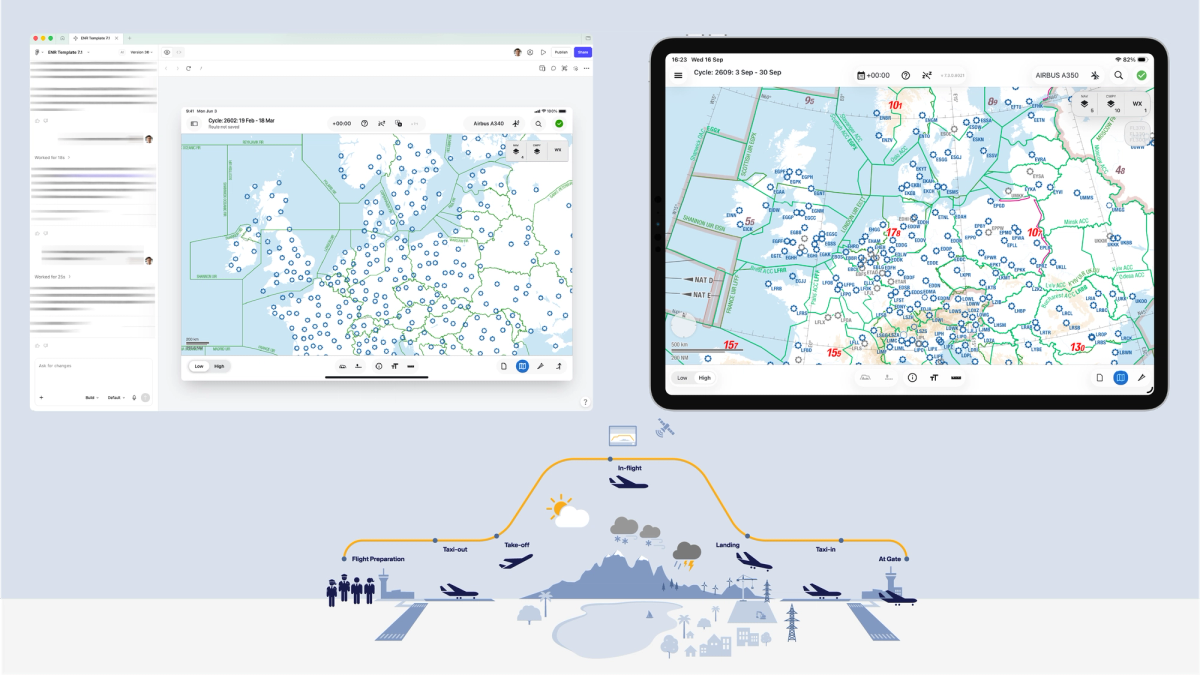
  4. How Lufthansa Systems prototypes realistic maps for the cockpit with Figma Make

    Lufthansa Systems struggled to build realistic, dynamic map prototypes for cockpit navigation apps using traditional static design tools. The team experimented with Figma Make during an internal hackathon to integrate external data sources like Mapbox and the OpenSky Network into their designs. As a result, designers successfully tested interactive map features and complex flight traffic data with pilots prior to writing production code.

    DEPTH ■■■■■8 min read3 days ago

    Sign in to save and rate

  5. The making of the Yelp Assistant UI

    Yelp developed a chat interface called Yelp Assistant using a hybrid approach combining native UI components and a server-driven UI framework called CHAOS. This architecture allows the team to dynamically update the chat experience without waiting for app store releases. The system separates views from data using reactive datasets and MessageEvents to manage the chat loop, state, and user interactions.

    DEPTH ■■■■■12 min read3 weeks ago

    Sign in to save and rate

  6. Staying Evergreen: How we automated secure access and repo hygiene in a shared org

    Manual repository housekeeping and access reviews for outside collaborators become difficult to maintain as organizations scale. The team built Evergreen, a GitHub App that automates quarterly access reviews and stale repository archiving using native platform features and IssueOps. This automation successfully enforces secure defaults by revoking unanswered access while maintaining a full audit trail in git history.

    DEPTH ■■■■■8 min read10 days ago

    Sign in to save and rate

  7. Improving site performance by shipping more CSS

    GitHub faced performance degradation on server-side rendering and initial page loads due to scaling issues with its CSS-in-JS solution. The engineering team executed a multi-year migration to CSS Modules and eliminated dynamic styling props using incremental rollouts, wrapper components, and automation tools. This resulted in significant performance gains, including 55% faster server-side rendering and the complete removal of styled-components.

    DEPTH ■■■■■8 min read4 weeks ago

    FrontendPerformance

    Sign in to save and rate

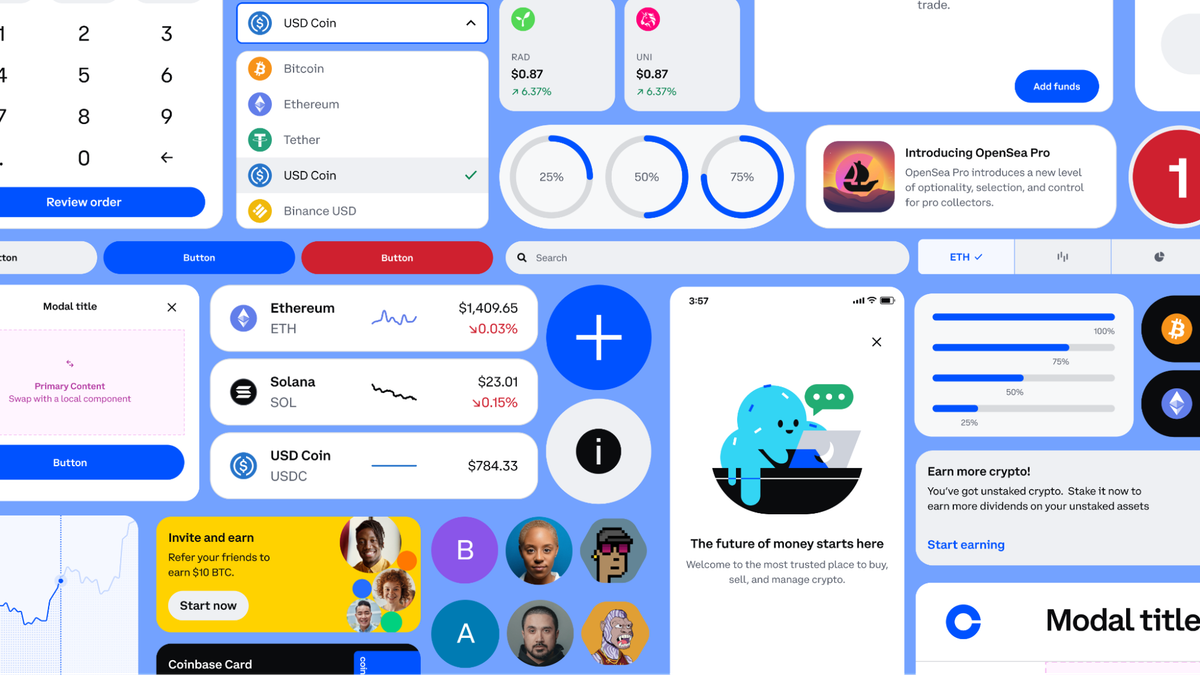
  8. How to put your design system to work with the Figma agent

    This post explains how to provide the Figma agent with proper context through design libraries, explicit guidelines, practical examples, and reusable skills to produce accurate outputs. By connecting libraries and defining rules, teams can ensure the agent uses approved components and follows design patterns. Reviewing agent outputs helps teams identify missing context and refine their libraries and guidelines.

    DEPTH ■■■■■6 min read2 days ago

    Sign in to save and rate

  9. Rendering huge pull requests in the GitHub Copilot app

    Rendering extremely large pull requests with millions of lines and hundreds of comments requires separating deterministic code row geometry from unpredictable dynamic comment blocks. The team implemented an idle-gated measurement scheduler, separate height indices, and identity-based scroll anchoring to maintain smooth scrolling. As a result, the pull request view remains performant and responsive even under extreme loads.

    DEPTH ■■■■■14 min read4 weeks ago

    Sign in to save and rate

  10. 4 team rituals that drive AI adoption

    To drive team-wide AI adoption beyond isolated power users, several companies introduced collaborative team rituals such as peer-led study groups, process-focused sharing forums, cross-disciplinary training, and prototype-first critiques. These forums helped bridge knowledge gaps, reduce intimidation, and build consistent habits. As a result, teams were able to move from individual experimentation to collective AI usage.

    DEPTH ■■■■■7 min read2 weeks ago

    Sign in to save and rate

  11. How we make AI coding more cost efficient without sacrificing task quality

    GitHub optimized GitHub Copilot to improve cost efficiency without sacrificing task quality by evaluating changes across the entire agentic workflow. The team implemented four targeted adjustments including selective output compression, removing unused line-number formatting, shortening prompts via meta-prompting with behavioral tests, and delivering background work completions directly. These modifications reduced token usage and model inference costs globally without causing task-success regressions.

    DEPTH ■■■■■9 min read7 weeks ago

    Machine Learning

    Sign in to save and rate

  12. Workflow lab: Staying in the flow with Figma’s agent

    A fictional designer at Offtrail updates a permission settings flow using the Figma agent to handle repetitive maintenance, compliance checks, and component specs. By offloading busywork and context gathering to the agent, the designer focuses on feature logic and design decisions while keeping outputs connected in a shared canvas.

    DEPTH ■■■■■8 min read2 weeks ago

    Sign in to save and rate

  13. How to lighten design system upkeep with the Figma agent

    Design systems often suffer from maintenance overhead like documentation debt, naming inconsistencies, and drift between product screens and libraries. The Figma agent automates these upkeep tasks by drafting specs, auditing token and component usage, and bulk-replacing disconnected elements. This reduces manual toil and helps teams keep their design systems aligned with product work.

    DEPTH ■■■■■5 min read2 weeks ago

    Sign in to save and rate

  14. Behind the build: Generative plugins and shaders at Figma

    Figma developed generative plugins and shaders by replacing a prototype WebGL system with an enterprise-scale WebGPU pipeline, sandbox isolation, and custom UI kits. Through rapid prototyping and cross-functional collaboration, the team shipped the feature suite in two months for Config.

    DEPTH ■■■■■8 min read7 weeks ago

    Sign in to save and rate

  15. How do you actually measure the impact of AI on design?

    Figma conducted a multi-year research project to track the impact of AI on product design by building an AI sentiment index and running hundreds of AI-moderated interviews. To process the massive volume of qualitative data, the team engineered a custom thematic analysis tool and an internal dashboard to serve as a cross-functional source of truth. The results showed that AI's impact on workflows and collaboration nearly doubled over three years.

    DEPTH ■■■■■6 min read8 weeks ago

    Sign in to save and rate

  16. Workflow lab: Moving between design and code with agents

    A fictional engineering team struggles with AI-generated code that frequently strays from design specifications. By integrating Figma dev tools, an MCP server, and Code Connect into the workflow, the developer provides the coding agent with accurate design context and existing components. As a result, the agent produces production-ready code that matches design intent and reduces rework.

    DEPTH ■■■■■6 min read8 weeks ago

    Sign in to save and rate